
How to Launch and Optimize Facebook Ad Campaigns the Right Way
You've built your campaign, crafted your creative, and set up your audiences. Now comes the part that separates marketers who get results from those who just get impressions: launching with intention and optimizing with discipline.
Step 1: QA Everything Before You Go Live
Slow down before you launch. One overlooked error can send real budget toward a broken link or a misspelled headline.
Pre-launch QA checklist:
- Review all ad copy for typos and formatting issues
- Confirm your campaign objective matches your goal
- Verify your budget, schedule, and billing settings
- Preview every ad in Meta's preview tool — check Feed, Stories, and Reels
- Click through the actual ad link and confirm your landing page loads correctly
- Verify UTM parameters are firing and being captured in Google Analytics
This step feels tedious. Skipping it is expensive.
Step 2: Set Up UTM Parameters Before Launch
UTM parameters are short snippets appended to your destination URLs that tell Google Analytics exactly where your traffic is coming from — which campaign, which ad set, which creative. Without them, your website traffic appears as an unattributable blob. With them, you can trace every conversion back to a specific ad.
A standard UTM structure looks like this:
?utm_source=facebook&utm_medium=paid-social&utm_campaign=brand-awareness-q3&utm_content=static-image-headline-a
Set them up before launch. You cannot add UTM parameters retroactively to traffic that's already been captured.
Step 3: Optimize With Discipline, Not Anxiety
Once your campaign is live, resist the urge to change everything at once. Give it several days to accumulate data, then return to your KPIs. If you're not hitting them, change one thing — your audience, your landing page, or your primary creative — then wait again.
This is how you build real, repeatable knowledge about what works for your brand.
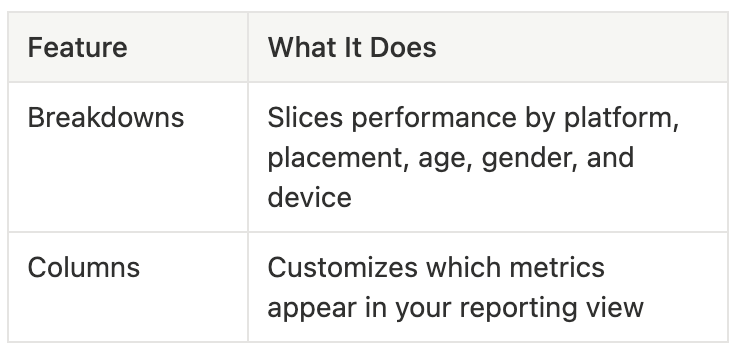
Two underused Ads Manager features that help:
Frequently Asked Questions
How long should you wait before optimizing a Facebook campaign?
Most practitioners recommend waiting at least 3–7 days and a minimum of 50 conversion events before making changes. Optimizing too early interrupts Meta's learning phase and resets the algorithm.
What are UTM parameters and why do they matter for Facebook ads?
UTMs are URL tags that pass campaign data into Google Analytics. They let you attribute website conversions to specific ads, audiences, and placements — without them, paid social traffic is nearly impossible to analyze accurately.
What is Meta's learning phase?
The learning phase is a period after launch when Meta's algorithm is actively finding the best people to show your ad to. Performance is typically less stable during this phase. Avoid significant edits until it's complete — usually after 50 optimization events.
Key Takeaways
- Run a full QA check before every launch — typos and broken links are costly
- UTM parameters are non-negotiable; set them up before the campaign goes live
- Change one variable at a time when optimizing; wait for data before the next change
- Use Breakdowns and Columns in Ads Manager to find performance patterns
Build a Compounding Library of Creative Intelligence
Every test you run, every winning creative you identify, every audience insight you uncover is institutional knowledge. The brands that win long-term aren't just running good campaigns — they're building on what they've learned.
Purposely.ai turns your historical ad performance into a roadmap for every campaign that follows. Book a demo.


